
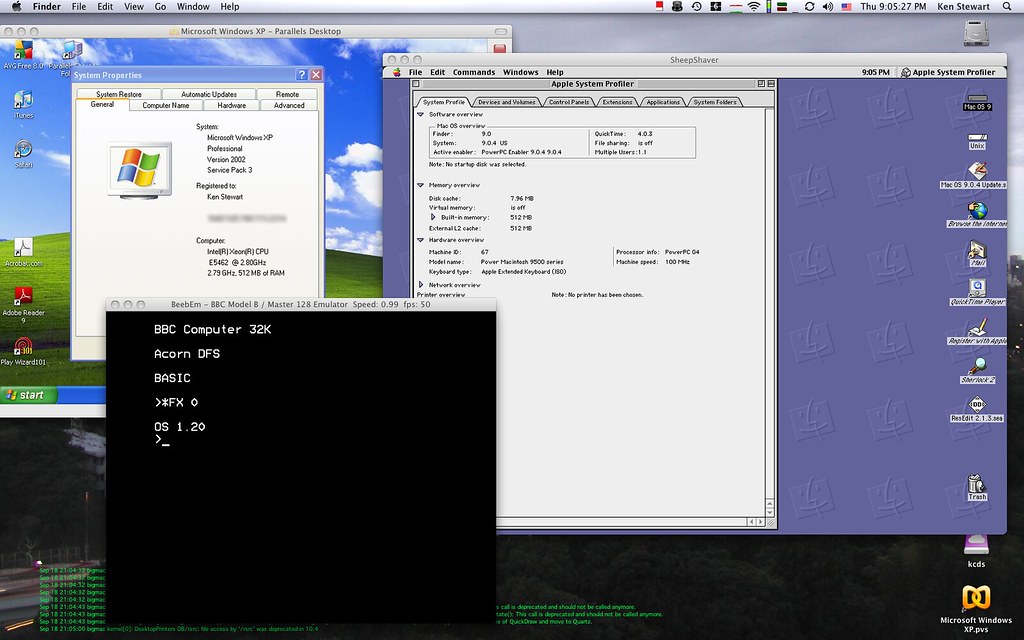
Virtual Intel Mac is revolutionizing the way users experience older operating systems. With the ability to run 13 old macOS versions, this solution offers unprecedented access.
What is Virtual Intel Mac?
The concept of a Virtual Intel Mac revolves around the ability to emulate older Macintosh systems on modern hardware. This innovative solution allows users to access and run legacy macOS versions without needing the original physical hardware. By creating a virtual environment, users can experience the functionality and features of older operating systems, which may be necessary for specific applications, software compatibility, or personal preference.
Virtual Intel Macs utilize sophisticated virtualization software that mimics the architecture of Intel-based Macs. This process involves creating a virtual machine (VM) that acts as a separate computer within the host system. Users can install their desired macOS version onto this VM, enabling them to operate older software that might not be supported on the latest macOS releases.
Some key benefits of using a Virtual Intel Mac include:
- Compatibility: Run applications that are not compatible with newer macOS versions.
- Convenience: Easily switch between different macOS versions without needing multiple devices.
- Cost-effective: Avoid the expenses of obtaining vintage hardware while still enjoying the older macOS experience.
As technology continues to evolve, the Virtual Intel Mac serves as a bridge for users who wish to retain access to older macOS environments, making it a valuable tool for both developers and enthusiasts alike.
Benefits of Running Old macOS Versions
Running old macOS versions on a Virtual Intel Mac offers several benefits for users looking to maintain compatibility with legacy applications and workflows. Here are some key advantages:
- Legacy Software Support: Many businesses rely on specific applications that may not be compatible with newer macOS versions. A Virtual Intel Mac allows users to run these essential programs without needing outdated hardware.
- Testing and Development: Developers can use virtual environments to test apps on different macOS versions. This can help ensure that software functions correctly across various platforms, improving user experience.
- Cost-Effectiveness: Instead of investing in older Macs, users can utilize a Virtual Intel Mac setup. This solution is often more affordable, as it eliminates the need for physical machines that may be hard to find or maintain.
- Flexibility: Virtual machines provide the ability to quickly switch between operating systems. Users can easily create snapshots and restore previous states, making it simple to experiment with different configurations.
- Resource Efficiency: Virtualization allows multiple macOS versions to run simultaneously on a single host machine, maximizing hardware utilization and reducing energy consumption.
By leveraging a Virtual Intel Mac, users can effectively bridge the gap between modern computing needs and the requirements of older macOS applications, ensuring a seamless workflow.
How to Set Up Virtual Intel Mac
Setting up a Virtual Intel Mac is a straightforward process that allows users to run older versions of macOS with ease. Follow these steps to get started:
- Choose a Virtualization Software: Begin by selecting a virtualization application such as Parallels Desktop, VMware Fusion, or VirtualBox. Each of these options has its unique features, so choose one that best suits your needs.
- Download the macOS Installer: Obtain the installer for the macOS version you wish to run. This can typically be found in the Mac App Store or through Apple’s official website.
- Create a New Virtual Machine: Open your virtualization software and create a new virtual machine. Allocate sufficient system resources, including RAM and storage space, to ensure smooth operation.
- Configure Settings: Adjust the settings of your virtual machine, such as network options and display preferences, to optimize performance. Ensure you have enabled Intel VT-x or AMD-V technology for better compatibility.
- Install the macOS: Start the virtual machine and follow the prompts to install the macOS. This process may take some time, so be patient and allow the installation to complete fully.
By following these steps, you can successfully set up a Virtual Intel Mac and enjoy the benefits of running old macOS versions on your current hardware.
Compatibility with Different Hardware
When considering a Virtual Intel Mac, compatibility with different hardware is a crucial factor to ensure optimal performance and functionality. Users looking to run older versions of macOS often wonder which systems can support this virtualization technology.
Generally, a Virtual Intel Mac can be set up on various platforms, but there are specific requirements to keep in mind:
- Processor: It’s essential to have an Intel processor, ideally with virtualization support (VT-x or AMD-V). This ensures that the virtual environment runs smoothly.
- RAM: A minimum of 8GB of RAM is recommended, although more is preferable for running multiple applications or heavier tasks within the virtual machine.
- Storage: Sufficient disk space is necessary to accommodate the macOS installation and any additional software. A solid-state drive (SSD) can significantly improve performance.
- Graphics: While integrated graphics may work, a dedicated graphics card can enhance the user experience, especially for graphic-intensive applications.
Additionally, users should ensure that their virtualization software, such as Parallels Desktop or VMware Fusion, is up-to-date to maintain compatibility with the latest updates and features for a Virtual Intel Mac.
By ensuring all hardware components meet these requirements, users can enjoy a seamless experience running older macOS versions in a virtualized environment.
User Experiences and Reviews
Users have been sharing their experiences with the Virtual Intel Mac, highlighting its effectiveness in running older macOS versions. Many users appreciate the flexibility it offers, allowing them to access software that may not be compatible with newer operating systems.
One user shared their review, stating, “I was able to run macOS Mojave without any issues. The setup was straightforward, and the performance was impressive on my mid-2020 laptop.” This sentiment is echoed by many who have taken advantage of the Virtual Intel Mac to breathe new life into older applications.
Another user noted, “As a developer, I often need to test my applications on various macOS versions. The Virtual Intel Mac has been a game-changer for my workflow.” With its ability to support 13 different old macOS versions, developers find it an invaluable tool for compatibility testing.
However, some users have voiced concerns about potential performance limitations. “While it works great for most tasks, I noticed some lag when running resource-intensive applications,” one user mentioned. This highlights the importance of ensuring that your hardware meets the necessary specifications for optimal performance.
Overall, the Virtual Intel Mac has garnered positive reviews, enabling users to effectively run old macOS versions while navigating a modern computing landscape.
Comparing Virtual Intel Mac to Alternatives
When considering the best method to run older macOS versions, it is crucial to compare the Virtual Intel Mac with other alternatives available in the market. While there are various options, each comes with its own set of advantages and drawbacks.
- Physical Mac Hardware: Running an older macOS on original hardware ensures full compatibility and performance. However, this option may not be feasible for everyone due to the high cost of vintage Macs and potential hardware issues.
- Emulators: Emulators can provide a way to run macOS on non-Mac hardware. While they might be less expensive, they often struggle with performance and can lack essential features, making them a less reliable choice.
- Cloud-Based Solutions: Some users turn to cloud services for macOS access. Although these solutions allow flexibility and remote access, they often require a stable internet connection and may involve ongoing subscription fees, which can add up over time.
- Dual Booting: While dual booting can be effective, it requires partitioning the hard drive, which can be complicated for less experienced users. It also limits the ability to run multiple versions simultaneously.
Ultimately, the Virtual Intel Mac stands out for its balance of performance, ease of use, and cost-effectiveness, making it an attractive option for those who wish to explore older macOS environments without significant investment in hardware or additional software complexities.
Future of Virtualization in Tech
The future of virtualization technology holds promise for users seeking to experience legacy systems such as the Virtual Intel Mac. As advancements in hardware and software continue to emerge, the capabilities of virtualization are becoming increasingly sophisticated, enabling users to run older operating systems with greater efficiency.
One significant trend is the growing emphasis on cross-platform compatibility. As more users switch between different operating systems, the demand for seamless virtualization solutions will increase. This could potentially lead to enhanced performance for Virtual Intel Mac setups, allowing users to access older macOS versions without compromising on speed or functionality.
Additionally, the rise of cloud computing may redefine how virtualization operates. With cloud-based solutions, users could run a Virtual Intel Mac from virtually anywhere, reducing the need for powerful local hardware while still providing access to legacy applications and environments.
As developers continue to innovate, we may also see improved support for various file formats and software applications, fostering a more cohesive experience when using older macOS versions. Furthermore, the integration of artificial intelligence and machine learning could optimize resource allocation, providing users with a smoother and more responsive experience.
In conclusion, the future of virtualization in tech appears bright, with the potential for the Virtual Intel Mac to evolve alongside technological advancements, ensuring that users can continue to enjoy the benefits of legacy systems for years to come.
Conclusion: Is It Worth It?
In conclusion, the question of whether a Virtual Intel Mac is worth it largely depends on the user’s needs and the specific use cases they have in mind. For those who rely on legacy software or specific functionalities found only in older macOS versions, this virtualization solution offers a compelling advantage.
Here are some key points to consider when evaluating the value of a Virtual Intel Mac:
- Cost-Effectiveness: Setting up a Virtual Intel Mac can be significantly cheaper than investing in older hardware, which may be hard to find and maintain.
- Flexibility: Users can run multiple versions of macOS side by side, allowing for testing and compatibility checks without the need for multiple physical machines.
- Convenience: The ability to quickly switch between different operating systems can save time and streamline workflows, especially for developers and testers.
- Learning and Experimentation: For those looking to learn more about macOS or software development, a Virtual Intel Mac provides a safe environment to experiment without risking the primary system.
Ultimately, for users who require access to older macOS environments, embracing a Virtual Intel Mac can enhance productivity and provide a practical solution in a tech landscape that increasingly favors virtualization and flexibility.
By kcdsTM via Openverse
References
Related reading

[…] Virtual Intel Mac: The Best Way to Run Old macOS Versions · Vivo X500 Series: The Best Smart Launch You Can’t Miss · Blue Origin launch delay: Worst news for space enthusiasts […]